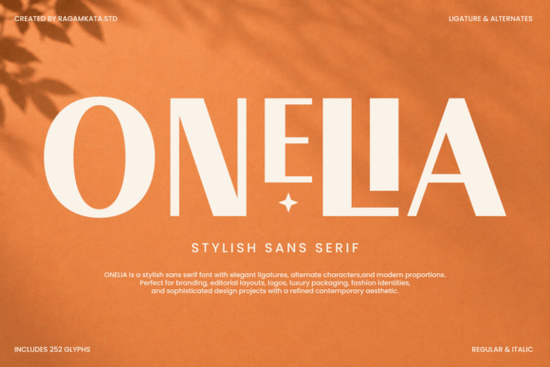
If you're looking for a clean, modern sans serif font that works just as well on luxury packaging as it does in wedding stationery or social media graphics, Onelia Font is worth your attention. It’s not overly decorative, but it’s never plain the kind of typeface that quietly commands attention through thoughtful details: subtle ligatures, refined alternate characters, and letterforms that feel balanced and intentional. Designed with creative professionals in mind, Onelia fits naturally into branding projects where tone matters think fashion labels, beauty startups, boutique print shops, or even small-batch candle makers building a cohesive visual identity.
What makes Onelia different from other sans serifs?
Many modern sans serifs aim for neutrality, but Onelia adds just enough personality to feel distinctive without sacrificing readability. Its lowercase 'a' and 'g' have gentle, open shapes; the uppercase 'R' has a soft, curved leg; and certain letter combinations like “fi” or “fl” trigger elegant ligatures that flow smoothly. These aren’t gimmicks. They’re design decisions that help text feel more human and less mechanical. That’s especially useful if you’re designing for print-on-demand products where consistency and clarity matter across mugs, tote bags, and greeting cards.
You’ll also notice its generous x-height and open counters features that boost legibility at smaller sizes. That means it holds up well in editorial layouts (like newsletter headers or blog banners) and still looks polished when scaled up for signage or Instagram story text overlays.
Where does Onelia work best?
It shines in contexts where simplicity meets sophistication:
- Luxury packaging product labels, soap boxes, perfume tags
- Branding kits logo lockups, business cards, brand guidelines
- Editorial & digital content magazine headlines, email subject lines, Pinterest pins
- Wedding & event design save-the-dates, menus, signage
- Social-first creatives Reels captions, quote graphics, Shopify banners
Because it includes OpenType features like stylistic alternates and contextual ligatures, you can fine-tune how it looks without switching fonts great if you’re layering text in Canva, Adobe Illustrator, or Affinity Designer.
How does it compare to similar fonts on Creative Fabrica?
If you’ve used Fluffernutter, you’ll recognize its friendly, rounded charm perfect for playful brands. Onelia leans more restrained and refined, making it a better match for mature audiences or premium positioning. Bourgueil shares some elegance but carries stronger calligraphic influence, while Onelia stays rooted in clean geometry. For contrast, Amour Magnifique brings script energy lovely for invitations, but less versatile for full branding systems. If you need something bolder and more utilitarian, Stencil Army offers industrial strength, whereas Onelia offers quiet confidence. And unlike the cheerful bounce of Banana Cupcake, Onelia doesn’t rely on whimsy it earns trust through consistency and craft.
None of these are “better” they serve different needs. But if your project calls for a sans serif that feels both current and timeless, Onelia sits comfortably in that narrow, useful middle ground.
Who’s using Onelia right now?
We’ve seen small businesses use it for minimalist skincare labels, Etsy sellers apply it to printable wall art bundles, and freelance designers include it in brand identity packages for local boutiques. One maker told us she chose Onelia for her linen napkin collection because “it looked expensive but didn’t shout just like the fabric.” That’s the sweet spot.
It’s also popular among creators who pair fonts thoughtfully. Try pairing Onelia with a light serif (like Playfair Display) for contrast in brochures, or layer it with a delicate handwritten font for wedding invites the balance keeps things grounded.
For reference, you can see real user examples and licensing details on the official Onelia Font page on Creative Fabrica.
Before you download
Check that your software supports OpenType features most recent versions of Illustrator, InDesign, Affinity apps, and even newer Canva plans do. If you're using older tools or free alternatives like GIMP or DaVinci Resolve, basic character sets will still work, but you’ll miss out on ligatures and alternates. Also, confirm the license covers your intended use: personal, commercial, or extended (e.g., for merchandise resale). Onelia’s standard license includes commercial use, which covers most POD platforms and client work just double-check if you plan to embed it in apps or SaaS products.
Quick checklist before using Onelia:
- ✅ You’re using it for branding, packaging, digital graphics, or printables
- ✅ Your design software supports OpenType features (for full effect)
- ✅ You’ve reviewed the license terms especially for resale or POD
- ✅ You’ve tested it at multiple sizes especially tiny (e.g., 8pt on a tag) and large (e.g., 120pt headline)
- ✅ You’ve paired it intentionally not just defaulting to Helvetica or Arial as fallbacks
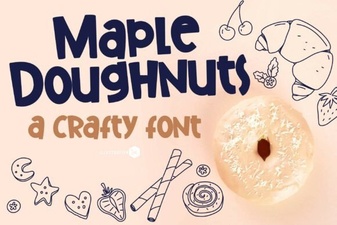 Maple Doughnuts: a Warm, Cozy Font Family
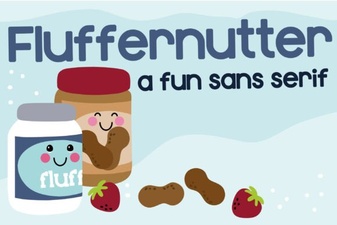 Fluffernutter Font: Download & Design Tips
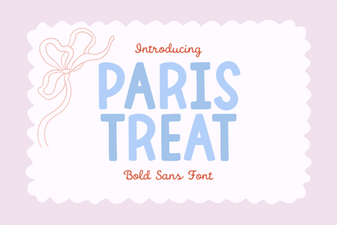 Paris Treat Font for Creative Projects & Design
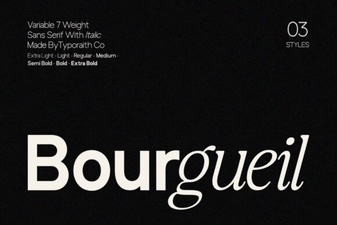 Bourgueil Font: a Modern Revival of Classic Charm
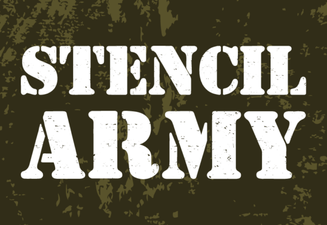 Stencil Army Fonts for Design & Diy Projects
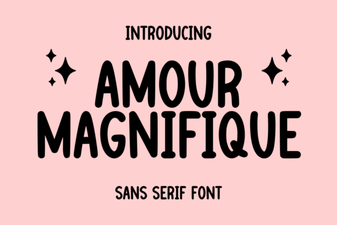 Amour Magnifique Font: a Guide for Elegant Designs